
Kanban Simulation for Beginners Made Practical
 Setia
Setia
Spis treści
A work queue can look busy, productive, and completely out of control at the same time. That is why a kanban simulation for beginners is more than a training exercise. It gives a team a safe way to feel the consequences of too much work in progress, unclear priorities, delayed handoffs, and hidden bottlenecks before those problems drain time and margin in the real operation.
Kanban is often introduced as a board with columns and cards. That is true, but it is not the point. The point is to create reliable flow: start the right work, finish it faster, expose problems early, and make capacity visible. A well-facilitated simulation helps participants see this system in action rather than memorizing Lean terms in a slide deck.
What a Kanban Simulation for Beginners Teaches
A beginner-friendly simulation recreates a simple workflow, such as processing customer orders, assembling a product, reviewing requests, or preparing a service deliverable. Participants receive work, move it through defined steps, and measure what happens over several short rounds.
The first round is deliberately imperfect. Teams often push work through as quickly as possible, assuming keeping everyone busy will improve output. Instead, they encounter growing queues, longer lead times, rework, missed information, and frustration at handoff points. These are not the participants’ failures. They are visible evidence of how the system behaves.
In later rounds, the team changes one or two conditions. They may introduce work-in-progress limits, clarify entry criteria, use a visual pull signal, rebalance tasks, or remove a recurring quality issue. Then they compare results. The learning becomes concrete because participants can connect a process decision with a measurable operational outcome.
A strong simulation should help people answer practical questions:
- Where does work wait, and why?
- What happens when demand exceeds capacity?
- Which step is actually constraining total throughput?
- How do work-in-progress limits improve focus and predictability?
- What information must be visible for a team to pull work effectively?
The goal is not to create a perfect board. It is to build the habit of managing work as a flow system.
Start With the Right Kanban Basics
Before running a simulation, establish a shared language. Keep the concepts simple enough that frontline employees, managers, and cross-functional partners can participate without prior Lean experience.
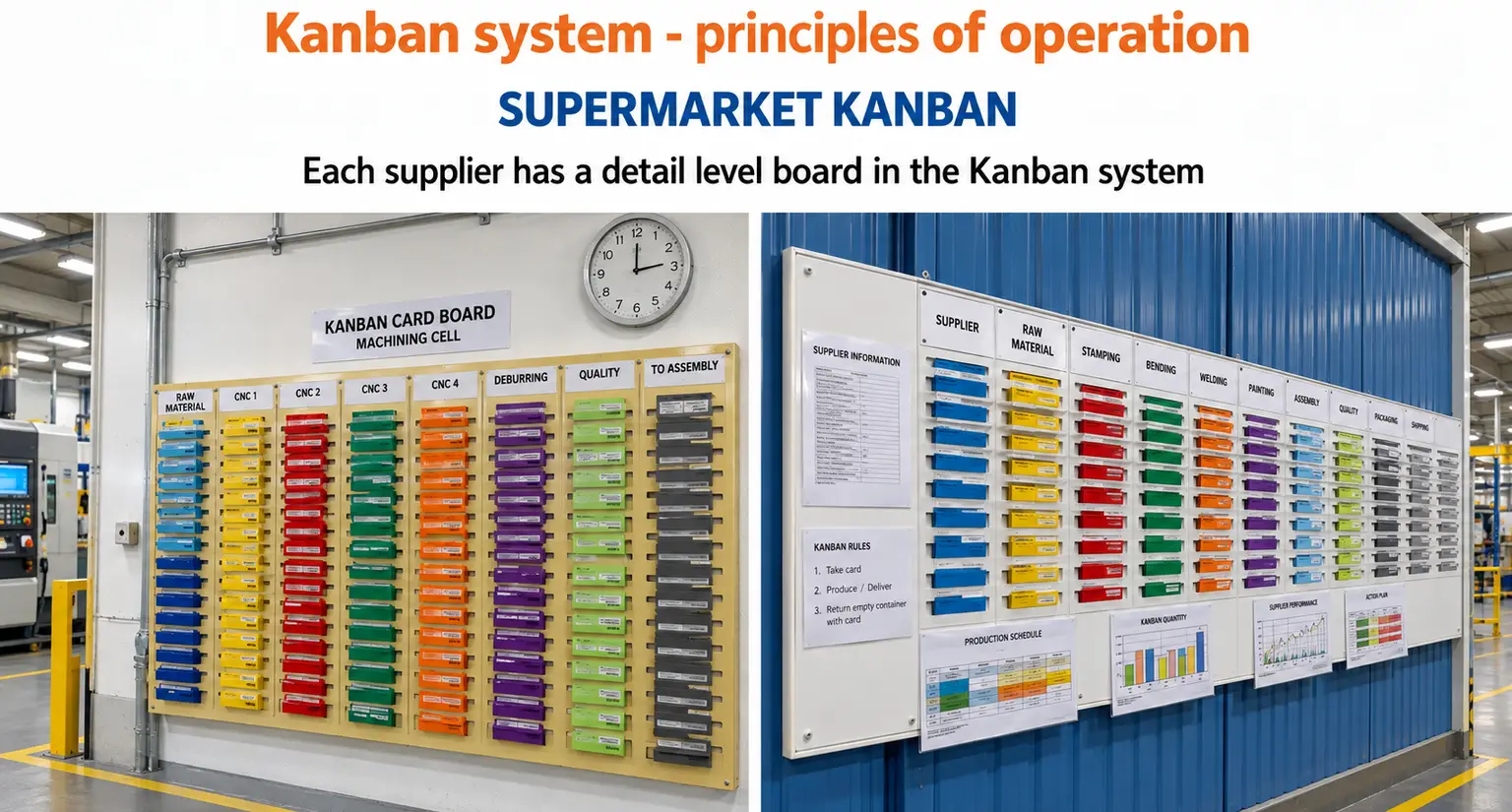
A kanban board makes work visible. Columns represent real workflow states, not generic activity labels. For example, a process might include Ready, In Progress, Quality Check, and Complete. Each card represents a defined unit of work that can move through the system.
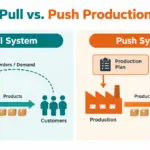
Pull means a downstream step takes new work only when it has the capacity to handle it. This differs from a push approach, where upstream teams keep sending work forward whether the next step is ready or not. Pull does not mean people stop working. It means they focus on completing work already in the system before starting more.
Work-in-progress limits, often called WIP limits, set a maximum number of items allowed in a stage at one time. A limit can feel restrictive at first, especially to teams accustomed to measuring activity. In practice, it exposes blocked work and encourages collaboration. If a column is full, the right response is not to start another item. Instead, help move existing work to completion.
Lead time measures how long work takes from request to completion. Cycle time measures how long it spends actively moving through the process. Throughput measures how many items you complete in a given period. Beginners don’t need advanced analytics on day one, but they should track enough data to tell the difference between feeling busy and delivering results.
How to Run a Useful First Simulation
The best first simulation is short, observable, and relevant to the audience. A manufacturing team may use parts and assembly stations. An office team may use order approvals or marketing requests. The mechanics can change, but the learning objective stays the same: see how workflow design affects performance.
Build a Process People Recognize
Choose a process with three to five steps and a clear definition of done. Avoid making the exercise so complex that participants spend their energy learning rules instead of observing flow. Give each card a small amount of realistic variation, such as different processing times, missing information, or a quality requirement.
Assign roles based on the workflow. Some participants process work, while one person may record time, completed items, defects, and blocked cards. A facilitator watches for behaviors that will enrich the debrief, including people creating piles, waiting for approvals, or working around the agreed process.
Run the First Round Without Fixing Everything
Give the group a time-boxed round and simple instructions. Let the system reveal its own constraints. Resist the urge to coach every decision during the round. If the team immediately creates large batches or leaves completed work waiting for inspection, that is valuable learning material.
At the end of the round, display the facts. How many items were completed? How much work remains? Where did it accumulate? Did the team produce defects or need rework? How long did the oldest item wait?
This is where a simulation beats a lecture. Participants can see that a crowded process isn’t necessarily productive.
Introduce Pull and WIP Limits in Round Two
Now add a clear pull rule and WIP limits for key stages. Start conservatively. A limit of one or two cards may work for a small exercise, but the right number depends on task variation, staffing, and the simulation’s purpose.
Ask the team to follow a simple priority: help work flow to completion before starting something new. If quality inspection is full, participants should support that step, solve the cause of a delay, or prevent additional work from entering. This may feel slower for the first few minutes. Over the full round, it often reduces congestion and improves completed output.
Do not promise that every metric will improve instantly. A lower WIP limit can expose a bottleneck more sharply before the team resolves it. That is progress, because a visible constraint can be addressed while a hidden one cannot.
Use the Debrief to Turn Activity Into Learning
The debrief is where durable capability is built. Ask participants what they observed before explaining what they should have learned. Their answers often reveal the central insight: when work piled up, communication worsened; when work was limited, problems became harder to ignore and easier to solve together.
Compare each round using the same measures. Look at throughput, lead time, queue size, defects, and unfinished items. Then connect the results to the workplace. Which queues exist in the actual operation? Where do approvals, incomplete inputs, competing priorities, or uneven workloads interrupt flow?
Sabat Consulting’s GET LEAN simulation game is designed around this kind of hands-on practice, combining process changes, performance data, team decisions, and structured debriefs. The value is not simply that people enjoy the exercise. It is that they leave with a shared reference point for improving work on the job.
Common Beginner Mistakes to Address Early
The most common mistake is treating the board as a reporting tool instead of a management system. A board full of outdated cards does not create transparency. Teams need clear rules for moving cards, identifying blocked work, and updating priorities.
Another mistake is setting WIP limits without defining what happens when a limit is reached. The limit should trigger a conversation: What is blocking flow? Who can help? Is the work ready? Is there a quality issue? Without this response, the team may simply bypass the limit and recreate the same overload elsewhere.
Teams can also overdesign the board. More columns, colors, labels, and exception paths do not automatically create better control. Begin with the actual workflow and add detail only when it supports a decision. The board should make problems easier to see, not harder to interpret.
Finally, avoid presenting Kanban as a one-size-fits-all solution. Highly variable work, shared specialists, regulatory controls, and urgent customer needs may require different policies. The principle remains useful: make the work visible, limit overload where possible, and improve the system using evidence.
Move From the Simulation to Daily Work
A simulation earns its value when teams apply one lesson quickly. Identify a real workflow with recurring delays or unclear ownership. Map the current states, define what makes work ready to enter, establish a small number of visible policies, and test the process for a limited period.
Start with observation, not assumptions. Track where work waits, how often items are blocked, and what causes rework. Review the board in a short daily or weekly cadence so the team can solve flow problems while they are still small. Leaders should ask about blocked work and system constraints, not only whether individuals appear busy.
The most useful first Kanban board will not be the most polished one. It will be the one that helps a team stop guessing, see its work clearly, and make one better decision together tomorrow.